Best USB Podcast Microphones Under $200 With USB-C Connectivity
By Jakob Steiner • 25th Sep
Quick verdict
The RØDE PodMic USB is the only documented under-$200 choice here: at retrieval, its standalone price was observed at $190 from one retailer, and it provides USB-C, XLR, and direct headphone monitoring.
- Choose the PodMic USB if: You want to start with USB-C, monitor directly, and have USB-C and XLR connections in one microphone. View on Amazon
- Consider the MV7+ if: You specifically value Shure’s manufacturer-described processing and software controls and have confirmed that its current price fits your budget.
- Main trade-off: Neither microphone is supported here as objectively best-sounding or best at rejecting room noise.
Important: The $190 PodMic USB figure is a time-sensitive observation from one retailer at retrieval, while the collected sources provide no current price for the MV7+.
If you are searching for the best USB podcast microphone under $200, the first useful answer is not a shopping list, it is a correction. A USB-C podcast microphone connection identifies a connection method, not proof of plug-and-play operation with every laptop, phone, tablet, or workflow. And based on the pricing evidence collected at retrieval, only one of the two serious USB-C/XLR options discussed below has a documented standalone price under the cap: the RODE PodMic USB, observed at $190 from one retailer.
That may sound overly cautious. It is also how you avoid treating an “internet favorite” as tested performance in your own setup. If room setup is part of your planning, explore this guide to room acoustics for podcasting.
Why USB-C alone is not a complete buying decision
Creators understandably want a simple chain: connect a mic, monitor themselves, record an episode, and move on. Both microphones here have manufacturer-documented USB-C and XLR connections, but the USB-C label alone does not establish plug-and-play operation with every host device. The choice still includes several practical questions:
- How does each manufacturer describe its headphone monitoring? RODE states that the PodMic USB provides zero-latency monitoring, while Shure describes the MV7+ headphone jack as supporting real-time monitoring.
- Can you control plosives, breath bursts, desk vibration, and chair movement before they reach the recording?
- Does the microphone offer the connections your current and future setup require?
- Will its app features fit your actual computer or mobile workflow?
USB-C answers a connectivity question; it does not establish compatibility with every host device or prove microphone performance.
Why the under-$200 claim needs scrutiny
A comparison article should not quietly turn a budget ceiling into a vibe. At retrieval, one retailer stated that the RODE PodMic USB sold separately for $190, but prices move; treat that as a snapshot, not a permanent market price.
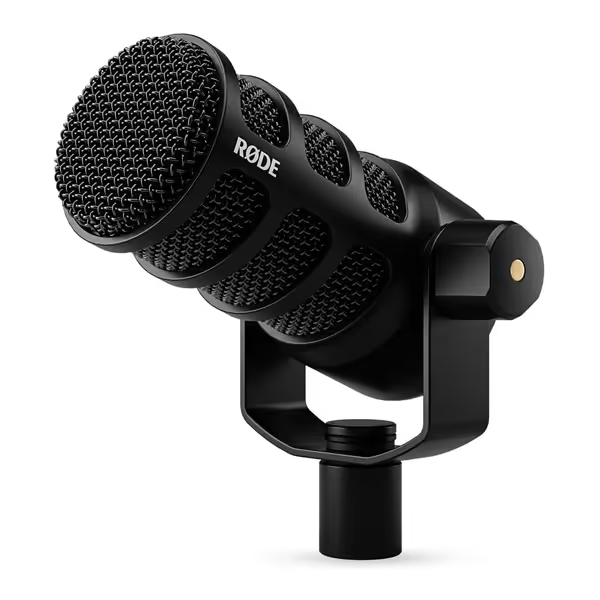
RØDE PodMic USB
Versatile dynamic mic for clear podcasting, streaming, and content creation.
$209
ConnectivityXLR & USB-C
ConnectivityXLR & USB-C
Pros
Dual connectivity (XLR/USB) for maximum versatility.
Built-in DSP effects via RØDE Central for polished sound.
Integrated shock mount and pop filters minimize plosives and handling noise.
Cons
Mixed feedback on long-term functionality.
Customers praise the microphone's sound quality, with clear voice reproduction, and appreciate its sturdiness and sleek black metal design. Moreover, they find it offers great value for money, with one customer noting consistent performance for streaming and voice calls. However, the functionality receives mixed feedback - while some say it functions beautifully, others report it stops working entirely. Additionally, opinions are divided on the weight, with some finding it well-constructed while others consider it super heavy, and on background noise handling, with some saying it handles it well while others complain about excessive background noise pickup.
Customers praise the microphone's sound quality, with clear voice reproduction, and appreciate its sturdiness and sleek black metal design. Moreover, they find it offers great value for money, with one customer noting consistent performance for streaming and voice calls. However, the functionality receives mixed feedback - while some say it functions beautifully, others report it stops working entirely. Additionally, opinions are divided on the weight, with some finding it well-constructed while others consider it super heavy, and on background noise handling, with some saying it handles it well while others complain about excessive background noise pickup.
The Shure MV7+ is relevant as a USB-C/XLR microphone comparison point, but the sources collected for this comparison do not provide a current MV7+ price. They therefore do not establish that it costs under $200. So it does not belong in an honest “best under $200” ranking based on this information. It belongs in the connectivity and workflow conversation: what extra features might matter if its current price fits your budget.
That distinction is not pedantry. Budget is part of the chain. If a purchase consumes the money you needed for required cables, a stable stand, or another necessary accessory, the headline microphone price is not the whole setup cost.
The under-$200 pick with documented USB-C pricing: RODE PodMic USB
Who it is for
The RODE PodMic USB is a dynamic microphone with digital USB-C and analog XLR connections. For a solo host who needs to start directly into a computer now and wants USB-C and XLR connections in one microphone, that dual-output design is the entire argument.
It also has a headphone output with level control and manufacturer-stated zero-latency monitoring. For spoken-word work, this gives the microphone its own documented monitoring connection.
RODE says its USB path includes a high-gain Revolution Preamp and APHEX digital signal processing. It also supports RODE Central, a microphone companion app, for configuring compatible devices and firmware updates. These are manufacturer-described features, not independent proof that the processing will improve every voice or room. Treat onboard DSP as a controlled convenience, not a license to record carelessly.
The practical advantages
For creators who want fewer accessory surprises, the PodMic USB includes physical features aimed at common spoken-word problems: RODE specifies an internal pop filter, internal shockmount, and an included external pop filter. These are documented components, though the collected evidence does not independently test their effectiveness.
The microphone is also stated to work with Windows and Mac computers as well as iOS and Android devices. Do not convert that into a universal “works with every phone and tablet” claim. USB-C names the connection method; the collected product information does not detail every device-specific adapter, cable, power, operating-system, or app requirement.
The tradeoff to understand
There is no claim here that the PodMic USB is the objectively best-sounding microphone under $200, that it rejects more room noise than every alternative, or that its DSP is superior to another mic's processing. Those are listening and test claims, and you should demand raw, matched recordings before accepting them.
What is established here is simpler and more useful: at the observed $190 standalone price at retrieval, it meets the budget, offers USB-C and XLR, and provides direct headphone monitoring.
Minimum viable chain, maximum focus
Before deciding you need another product, use this baseline to define your setup requirements:
- Account for mounting. Check whether your setup requires a stand or arm and include it in your budget.
- Work close, then adjust angle. For more precise distance and angle techniques, use this podcast mic positioning guide. Start with the mic near your mouth, slightly off to one side rather than directly in the plosive path. Speak across the capsule instead of firing “P” and “B” bursts straight into it.
- Use the documented monitoring connection. RODE states that the PodMic USB has zero-latency monitoring, while Shure describes the MV7+ headphone jack as supporting real-time monitoring. Review podcast mic gain staging as you build your recording workflow.
- Set a repeatable chair-and-mic position. Marking placement is mundane, but it matters when you need consistent tone across episodes, co-host sessions, or sponsor reads.
- Confirm software requirements. RODE Central supports the PodMic USB and has stated platform requirements; Shure lists Windows 10 or later and macOS 12 or later for MOTIV Mix, along with its other system requirements.
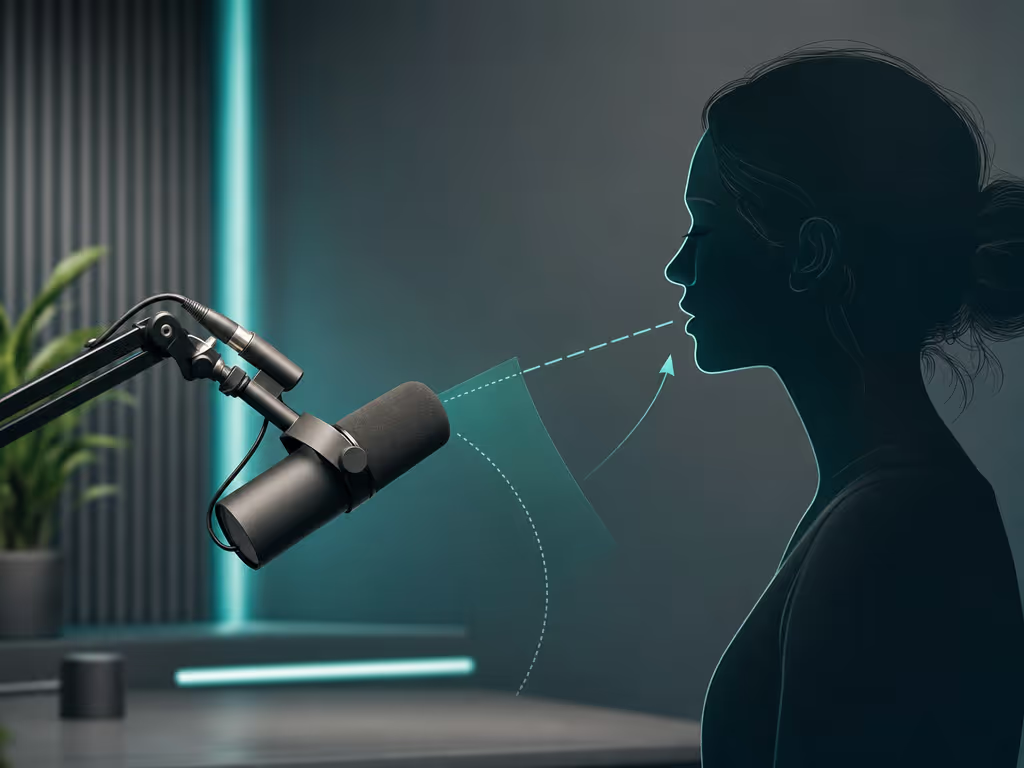
This baseline keeps the decision tied to documented connections, monitoring, software support, and required accessories rather than the USB-C label alone.
The price-unverified comparison: Shure MV7+
The Shure MV7+ Podcast Microphone has USB-C and XLR outputs, plus a 3.5 mm headphone jack for real-time monitoring. Shure includes a USB-C-to-USB-C cable with the microphone. It is therefore a legitimate example of the dual-connection format many creators want, but the collected information does not establish it as an under-$200 recommendation.
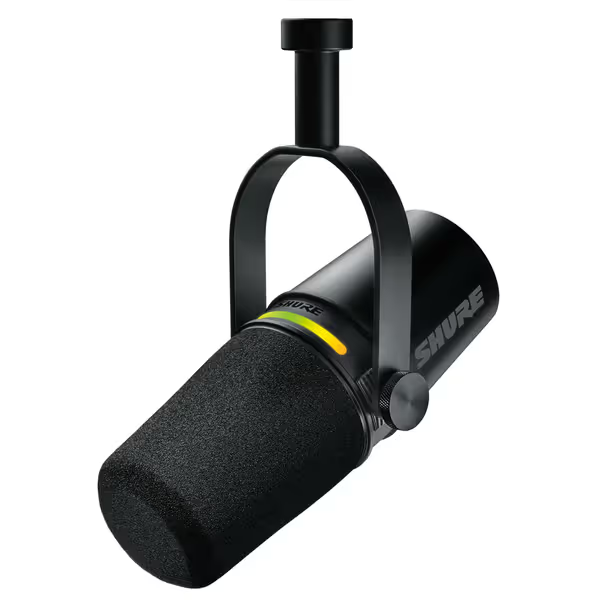
Shure MV7+ Podcast Dynamic Microphone
Achieve broadcast-quality sound effortlessly, even in imperfect rooms.
$299
ConnectivityUSB-C & XLR Outputs
ConnectivityUSB-C & XLR Outputs
Pros
Voice Isolation Technology & Real-time Denoiser for clear audio in noisy rooms.
OBS Certified, Auto Level Mode, and Digital Pop Filter simplify setup.
Dual USB-C/XLR for seamless upgrade path & versatile recording.
Cons
USB connectivity receives mixed user reviews.
Customers find the microphone's sound quality excellent, with voices coming through super clear, and appreciate its all-metal construction and working well with WFH Teams calls. Moreover, they consider it a great budget XLR mic that's easy to set up and offers good noise cancellation. However, the USB connectivity receives mixed reviews.
Customers find the microphone's sound quality excellent, with voices coming through super clear, and appreciate its all-metal construction and working well with WFH Teams calls. Moreover, they consider it a great budget XLR mic that's easy to set up and offers good noise cancellation. However, the USB connectivity receives mixed reviews.
Shure describes several processing-oriented tools for the MV7+: Voice Isolation Technology, Auto Level Mode, a real-time Denoiser, and Digital Popper Stopper. It also lists Plate, Hall, and Studio reverb modes, though those are described for music recordings (not a reason to buy a spoken-word mic). For podcasting, I would prioritize controlled source capture over adding ambience. Capture clean, commit early, and keep sponsors breathing between words.
The MV7+ works with Shure's MOTIV Mix desktop app on Windows 10 or later and macOS 12 or later, subject to Shure's listed system requirements. That is app compatibility, not a blanket promise that every recording program or connected device will behave identically.
When the MV7+ makes sense
Consider it only if you have independently confirmed its current price and you specifically value its manufacturer-described software controls and touch-panel workflow. It is not automatically a better choice merely because it has more processing features. The collected evidence lists its denoiser and other processing tools but does not independently test their effectiveness.
How to choose between these two approaches
Choose the PodMic USB when your priority is budget plus USB-C and XLR connections
The RODE is the fit supported here if you need a USB-C microphone now, want direct monitoring, and prefer USB-C and XLR connections in one microphone. At the observed $190 standalone price at retrieval, it is the only one of these two with collected price evidence that qualifies for this article's stated ceiling.
It is especially logical for the creator who wants a stable, repeatable solo kit rather than a heavily managed software workflow.
Consider the MV7+ only after checking its current price
The Shure is a connectivity and workflow alternative, not an under-$200 selection on the information at hand. Its stated USB-C/XLR outputs, headphone monitoring, and processing features may be valuable, but decide whether those specific controls solve a real production constraint for you. Do not buy it on an untested assumption about the effectiveness of its denoising or voice-isolation features.
A skeptical buyer's checklist before you order
Before choosing any best podcast mic for Mac or Windows laptop, run this short audit:
- Host: Are you recording to a computer, tablet, or phone? Confirm the microphone's stated compatibility and your exact cable/adapter path.
- Monitoring: Is there a headphone output on the mic, and will you use it every session?
- Placement: Can you put it close without blocking your camera framing or notes?
- Accessories: Have you budgeted for any required stand, arm, cables, or adapters?
- Processing: Which manufacturer-described controls matter to your workflow, and has their effectiveness been independently tested?
- Connections: If you later use an interface, does the microphone offer XLR?
- Evidence: Can you find raw, level-matched samples of the exact microphones you are considering? If not, do not pretend a frequency-response graph or a polished review can predict the result.
The verdict
The honest answer is narrow: the RODE PodMic USB is the documented under-$200 option in this comparison, with an observed $190 standalone price at retrieval, USB-C and XLR connections, direct headphone monitoring, and stated physical pop and vibration-control features. It is the practical starting point for a creator who wants a direct USB workflow and XLR connectivity in one microphone.
The Shure MV7+ should be treated as a connectivity and workflow alternative. It has the right connectivity and a more feature-led software proposition, but the collected information does not establish it as an under-$200 recommendation. Confirm its current price before deciding whether it fits your budget.
Further exploration should focus less on another top-ten list and more on confirming current pricing, exact host compatibility, cable and adapter requirements, app support, and independent matched recordings. Select the microphone whose documented connections and workflow fit the setup you will actually use.
Related Articles