
Rodecaster Pro II Review: One Box, Studio Quality
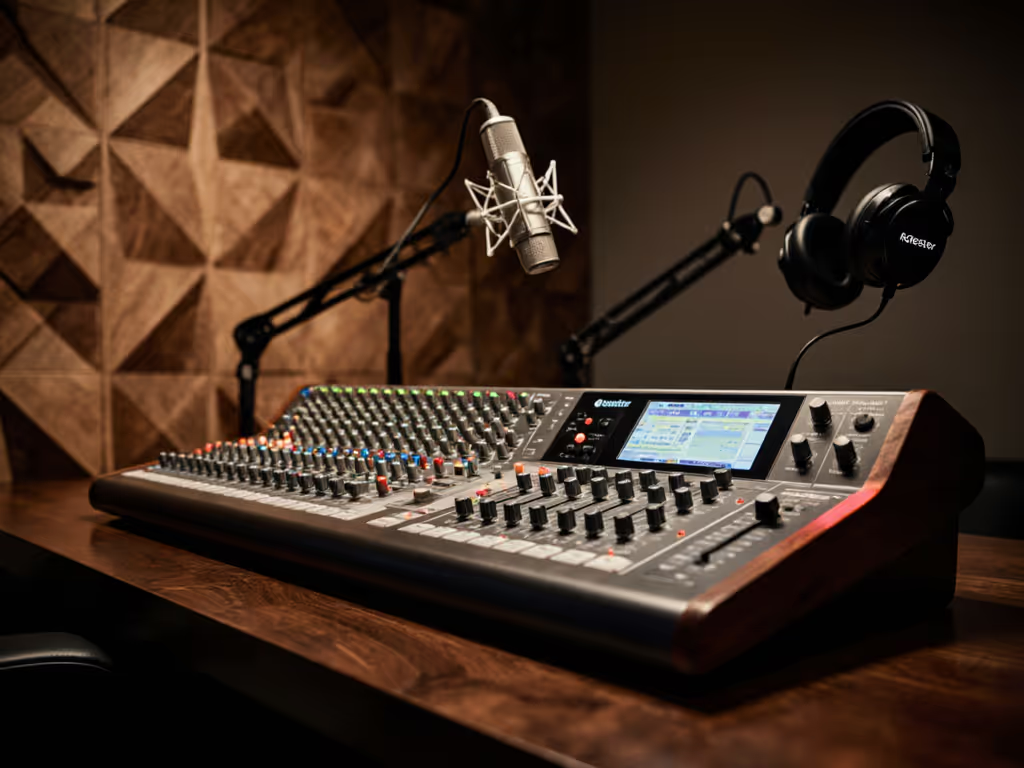
The RodeCaster Pro II is a fully integrated audio production console designed specifically for podcast and content creators, and it genuinely delivers on the promise of keeping your voice clear, your mixing tight, and your setup repeatable without relying on editing wizardry. If you're tired of juggling separate interfaces, mixers, and effect chains, or if you're scaling from solo recording to hosting remote guests, this is the machine that lets you sound professional the moment you press record.
What makes this different from a standard USB interface isn't just the feature count: it's the philosophy. This is a studio in a box built for people like you, working in imperfect rooms, needing to stay on camera, and wanting the same polished sound across every episode without relying on post-processing.
The Promise: One Box, Real Studio Sound
When I watched a first-time host clutch their mic and peak on every laugh, we didn't reach for plugins. We fixed the capture. A pop filter angled slightly off-axis, a distance lock, and most critically, direct monitoring so they could hear themselves clean in real time. Shoulders dropped. The story breathed. That moment crystallized what matters: confidence starts with a setup you can repeat. For step-by-step placement techniques that prevent plosives and sibilance, see our podcast mic positioning guide.
The RodeCaster Pro II extends that principle to a professional scale. Instead of cobbling together an interface, a mixer, an effects rack, and a monitoring solution, you get all of it, cleanly integrated and purpose-built for voice-first recording. The payoff isn't just convenience; it's consistency. Gain staging, direct monitoring, on-the-fly mixing, and broadcast-quality effects all live in one compact console you can hand off to a co-host or guest engineer without explanation.
Audio Quality: The Revolution Preamps
At the heart of the Pro II are the Revolution Preamps, Rode's newest generation of analog amplification. These aren't generic gain stages. They're tuned specifically to minimize noise while providing clean, transparent gain.
The specs matter here because they translate to your voice:
- Ultra-low noise floor: -131.5 dBV equivalent input noise
- Abundant gain: 76 dB on tap
- Dual impedance support: XLR/¼-inch combo inputs accept dynamic mics, condensers, and line-level sources
- Phantom power: 48 V available for any condenser mic
What this means in plain terms: if you're using a lower-output dynamic mic (like a Shure SM7B or similar), you'll get clean amplification without the hiss that plagues underpowered USB interfaces. If your room has background hum or HVAC rumble, the high-pass filter can roll it out at 6, 12, or 24 dB per octave, and you dial the exact frequency yourself. The preamps don't color your voice; they clarify it.
For untreated rooms (bedrooms, home offices, borrowed spaces) this transparency is critical. If your room is fighting you, start with our room acoustics for podcasting guide. It means your voice sits on top of the room, not buried in it. The noise floor is low enough that you won't need aggressive noise gates, which can chop up natural-sounding speech.
Nine Channels of Routing Flexibility
The Pro II ships with four physical Neutrik combo inputs for your mics, instruments, or line-level devices. But the genius is in the mixing architecture: you get six hardware faders and three virtual channels, for a total of nine individually assignable sources. This means:
- Your main host mic on fader 1
- Your co-host on fader 2
- A guest via Zoom on faders 3 and 4
- Background music and stings ready to go on fader 5
- Bluetooth phone calls routed to fader 6
- Room tone or ambient bed on a virtual channel
You can pull any of these independently, mute any combination, and set solo buttons to pre- or post-fader, meaning you can listen to just the co-host while their fader is down, confirm their level is locked, then bring them up live. That workflow (lock your distance, lock your gain, monitor clean) is how you eliminate the scramble mid-episode.
{{ GENERIC_IMAGE(podcaster adjusting mixer console with multiple channel faders and touchscreen) }}
Direct Monitoring and Zero Latency
This is where confidence lives. The Pro II offers four independent headphone outputs, each with its own level knob. You can send different mixes to different people, your main mix to your ears, a mix-minus to your guest so they don't hear themselves echo, music-heavy mix to a co-host who needs the vibe but low voice to stay sharp.
More important: the monitoring is direct from the preamp, not routed through USB and back. You hear yourself in real time, with zero latency. This is non-negotiable for voice talent. Then dial in perfect levels with our podcast mic gain staging guide. Latency throws off your delivery, makes you second-guess mic distance, and kills confidence. The Pro II bypasses that entirely.
The Bluetooth connectivity also supports wideband speech, meaning if you pull in a guest via Bluetooth, you're not downsampling to narrow-band phone audio. You get HD quality phone calls, which is a massive upgrade if you regularly interview people from their mobile or small office setups.
SMART Pads and On-Demand Effects
The console ships with eight programmable SMART pads, organized into eight banks (64 unique actions total). Each pad can trigger:
- Sound effects or music stings
- Voice effects (reverb, robot voice, pitch shift)
- A cough button (studio-standard for catching unwanted noise)
- Mixer actions like fade-ins, fade-outs, or auto-ducking
- MIDI commands to external software (OBS, Audacity, DAWs)
This matters because it collapses editing time. You hit the cough button in real time if you sneeze mid-interview; you don't extract it in post.
The onboard APHEX processing suite includes:
- High-pass filter (variable slope and frequency)
- De-esser (threshold, ratio, attack, release, frequency controls)
- Noise gate with hysteresis and visual waveform history for fine-tuning
- Reverb, delay, pitch shifting, robot voice, megaphone
- Fade in/out all channels with option to keep mic 1 open
You can apply these effects per-channel or globally, and assign any effect to a SMART pad for real-time triggering. If a guest's voice is thin and nasal, you can carve out the problematic frequency with the de-esser or EQ. If the room is boomy, roll it out at the high-pass. None of this requires a computer; it's all tactile, knob-based, repeatable.
Touchscreen and Control
The 5.5-inch HD touchscreen with haptic feedback is angled for easy viewing without leaning. It's large enough to see channel names and levels from arm's length, but it's not the focus, the physical faders, mute/solo buttons, and SMART pads are always within reach. You can navigate presets, configure channels, and customize SMART pads via the screen and rotary encoder without menu diving.
The display supports color coding, which helps at a glance: guest on red, co-host on blue, music on green. This visual language becomes muscle memory fast.
Dual USB-C: Two Computers, One Console
Unlike most interfaces, the Pro II features dual USB-C connections with separate driver per port. This lets you:
- Connect your recording computer and your streaming computer simultaneously
- Send one mix to your recording software (Audacity, Adobe Audition, Podtrac)
- Send a different mix to your streaming platform (OBS, Riverside, Streamyard)
- Manage gain and effects on the console itself, not buried in two different software settings
The second USB port also supports mix-minus mode, which is the professional standard for avoiding echo on remote calls. If you're streaming and recording at the same time, learn to master cross-platform audio routing. Your guest hears everything except their own voice, creating a clean feedback loop.
Recording: Multitrack to Card or Computer
The Pro II can record multitrack directly to a microSD card or USB storage device without needing a computer running. This means if your recording software crashes, or your wifi drops, the raw tracks are still capturing to the card. You can pull them off later, and you're protected.
You can also record stereo mixes simultaneously, a composite master, a mix-minus for the guest, a backup of the guest's voice solo, all to the same card session.
What the Pro II Isn't
The console is powerful, but it's not a magic box. It won't fix:
- Structural room problems: If your room echoes badly, you still need some acoustic treatment. The high-pass filter and de-esser help, but they can't replace absorption.
- Plosives from lazy mic technique: A pop filter and slight off-axis angle are still essential. The onboard tools help but they're not a substitute for good positioning.
- Multi-room scaling on a budget: If you need to kit out five remote hosts, the cost adds up. It's a solo/duo/small team machine.
- Latency-free software monitoring over USB: If you route USB back through your DAW, you'll hear that delay. Direct monitoring solves this on the console's headphone outputs, but if you need software monitoring for virtual instruments, that's a limitation.
Compact Design and Build
The Pro II is more compact and slightly lighter than the original Pro model, despite having more I/O options. The footprint fits most desk setups. The rubberized SMART pads and metal faders feel solid; Rode built this for daily use, not display. The dual USB-C power adapter outputs up to 30 W and charges the unit fully, so it's portable if you record from different locations.
Who This Is For
The RodeCaster Pro II makes sense if you:
- Host a regular podcast or show and want a repeatable setup you can rely on week to week
- Regularly bring in guests (in-studio, remote, or phone call) and need to balance multiple voices without software juggling
- Produce live content (streaming) and need real-time mixing and effects without a separate mixer and interface
- Work in an untreated or noisy room and want onboard tools to manage room tone and background noise before the recording
- Value direct monitoring and zero-latency headphone monitoring because you know it impacts your delivery
- Want broadcast-ready sound with minimal post-processing and you're willing to invest in a quality console
- Are willing to spend $500-$700 for a piece of gear that consolidates three to four separate devices
The Pro II is not the choice if:
- You're recording solo, once a month, in a quiet room, and editing is part of your workflow. A $100-$200 USB mic will sound fine.
- You need advanced multi-track mixing for music or complex podcast editing with submix busses. This is a voice-first, real-time console.
- You're on a tight budget and need to prioritize just one piece of gear. Start with a USB mic, upgrade to this later when you've found your audience.
Sound Quality Expectations
Based on published reviews and user reports, the audio out of the Pro II is clean and transparent. The preamps have enough gain for low-output mics, the noise floor is genuinely low, and the APHEX processing suite handles everyday problems (hum, hiss, sibilance) without squashing the signal. In typical podcast scenarios, you, a co-host, and a Zoom guest, the mixed output holds its own against studio recordings, provided you've dialed in basic gain staging and used a pop filter.
You won't get radio-station mastering from the onboard effects alone. But you'll get voice that sounds intentional, controlled, and credible. That's the difference between a podcast that sounds like it's recorded in a bedroom and one that sounds like it's broadcast from a studio. The difference is preparation, not magic.
Firmware and Updates
Rode has committed to regular firmware updates for the Pro II. Learn why this matters and how to stay current in our microphone firmware updates guide. This matters because it means the console gains features, fixes, and improvements over time. It also means early issues are often patched before they affect you. This is a device that improves with age, not one that becomes obsolete.
The Verdict
The RodeCaster Pro II genuinely delivers on the promise of "one box, studio quality." It's a fully integrated solution that consolidates your interface, mixer, effects, and monitoring into a single, tactile, repeatable setup. The preamps are clean and quiet, the mixing architecture is flexible, and the direct monitoring removes latency, the enemy of confidence.
For independent podcasters, small content teams, and anyone who records regularly in an imperfect room, this is the machine that lets you focus on your voice and your message, not your gain knob. It's an investment, but it's the right one if you're past the "try it out" stage and ready to commit to a setup you can stand behind.
Small, repeatable wins turn scary red lights into green. The Pro II gives you the platform to make those wins happen.
Your Next Step
If you're considering the Pro II, start here:
- Assess your current pain point: Are you fighting latency in your headphones? Struggling to balance multiple voices? Spending hours editing out background noise? Identify the specific friction point the console solves for you.
- Watch the Pro II in action: Seek out unboxing and setup videos from podcasters (not just tech reviewers). Listen to how actual voices sound, and imagine your own voice in that setup.
- Plan your accessory list: The console handles mixing and monitoring, but you'll still need a quality mic, a pop filter, an arm or shock mount, XLR cables, and potentially some basic acoustic treatment (blankets, foam). Budget accordingly.
- Test the workflow: If possible, spend time with one in a studio or borrow time at a friend's setup. Dial in a channel, set your gain, lock your monitoring. Feel how tactile and immediate it is. That's the confidence this gear delivers.
The RodeCaster Pro II is a tool built for people who take their voice seriously. If that's you, it's worth the investment.