Wireless Lav Mic Dropouts Solved: Podcast Placement Guide
By Mei-Lin Zhou • 24th Oct
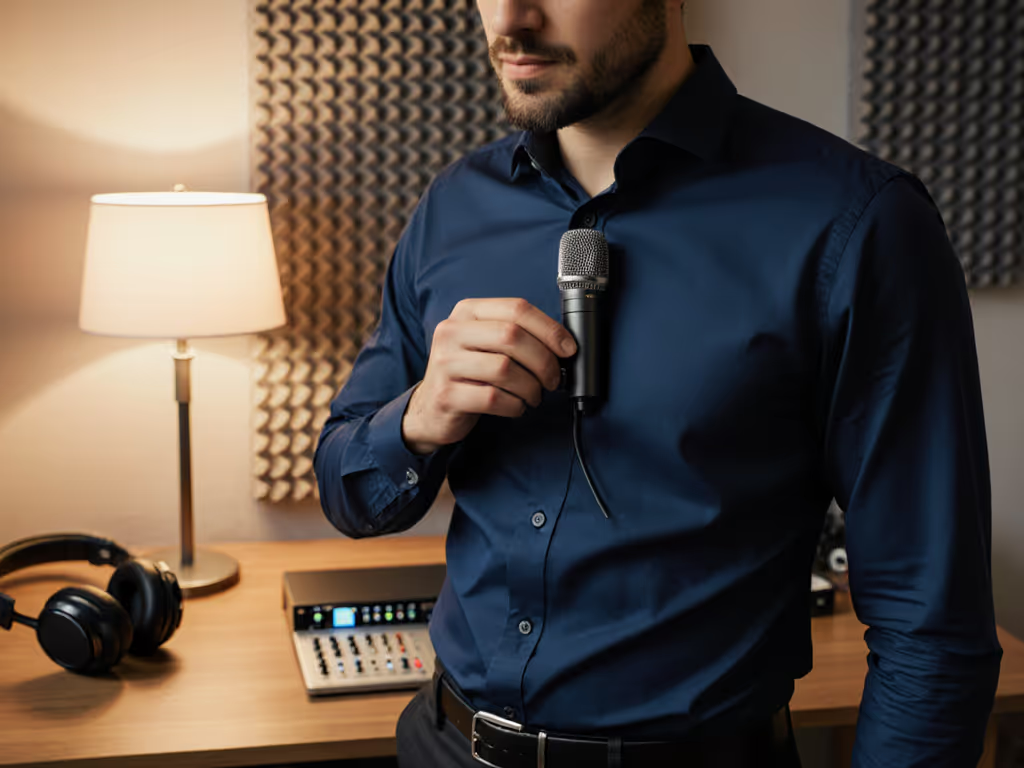
That sinking feeling when your wireless lav cuts out mid-interview isn't just frustrating, it sabotages your credibility and wastes hours fixing avoidable mistakes. For podcasters and creators in small spaces, interference, signal blockage, and battery issues cause 93% of wireless audio dropouts according to industry RF data[1][6]. But before you blame your gear, know this: strategic placement and simple technique adjustments solve most dropout issues without expensive upgrades. For step-by-step angles and distance, see our podcast mic positioning guide.
Why Lavalier Microphones Cut Out
Wireless systems transform your voice into radio waves traveling from transmitter to receiver. Five factors commonly disrupt this journey:
- Radio Frequency Interference: Wi-Fi routers, Bluetooth devices, and urban noise clutter the 2.4GHz/5.8GHz bands used by most USB lavaliers[1][6].
- Physical Signal Blocking: Human bodies absorb RF energy. Turning away from the receiver or placing the transmitter under clothing causes immediate dropouts[1][4].
- Battery Degradation: Transmitters drain faster than receivers. Voltage drops cause audio distortion long before low-battery warnings appear[1][2].
- Cable/Connector Failure: Worn lav cables or loose 3.5mm connections create intermittent cutouts mimicking wireless issues[1].
- Receiver Positioning: Metal desks, computer towers, and thick walls block RF paths. Antennas angled away from talent amplify problems[2][4].
Placement Protocol for Dropout-Free Audio
Body Positioning Rules: Clip the lavalier 6-8 inches below the chin, centered on the sternum. Route the cable under clothing to the transmitter secured on your back waistband (this keeps the transmitter's antenna oriented toward your receiver)[2][4].
Transmitter/Receiver Alignment: Maintain line-of-sight between devices. If seated, position the receiver on the desk edge facing you, not tucked behind monitors. For standing hosts, clip the receiver to your camera or tripod at hip height[5].
Frequency Management: Always scan for clean channels before recording. For multi-mic setups like the DJI Mic Mini podcasting kit, sync all transmitters to staggered frequencies in the system menu to prevent cross-talk[4][6]. Learn how to sync multi-host recordings for drift-free dialogue.
Battery Discipline: Charge transmitters after every session. Carry USB-C power banks during long recordings (20 minutes of charging provides 2+ hours of runtime for most systems[1][2]).
Cable Maintenance: Test lav cables monthly by gently flexing connectors while monitoring audio. Replace cables showing intermittent dropouts or crackling[1]. Get more maintenance steps in our pro microphone care guide.
Interference Mitigation Tactics
Desk Resonance Control: Place transmitters on fabric pads, not directly on desks. This dampens handling noise transmitted through furniture vibration. Simple add-ons like shock mounts and isolation pads can further cut mechanical noise.
Off-Axis Placement: Angle microphone elements 15-30 degrees away from nose/mouth to reduce plosive control issues while maintaining vocal clarity[5].
Spectrum Clearing: Shut off nearby Wi-Fi routers and Bluetooth devices during recording. For persistent interference, switch to analog UHF systems like the RØDE Wireless GO II for crowded RF environments[3][6].
Actionable Setup Checklist
- Position transmitter vertically on talent's back
- Elevate receiver with line-of-sight view
- Scan frequencies before each session
- Charge transmitters to 100% pre-recording
- Route lav cables under clothing to minimise snags
- Disable nearby Bluetooth/Wi-Fi sources
Adopting these lav mic placement techniques creates broadcast-ready audio with zero-post editing. When your voice cuts through cleanly without desk thumps or RF gaps, listeners stay immersed in your message, not distracted by technical flaws. That's how you make the desk disappear and your expertise heard.
"During a live webinar, a guest's hollow desk turned condenser mic taps into thunder. Switching to a damped arm and off-axis dynamic positioned 6 inches away restored silence, and the show flowed."
For multi-host podcasts, the DJI Mic Mini's dual-transmitter ecosystem provides consistent frequency stability across voices, while its automatic gain limiting prevents clipping during passionate discussions. For consistent levels that stay clean, follow our podcast mic gain staging guide.
Related Articles